
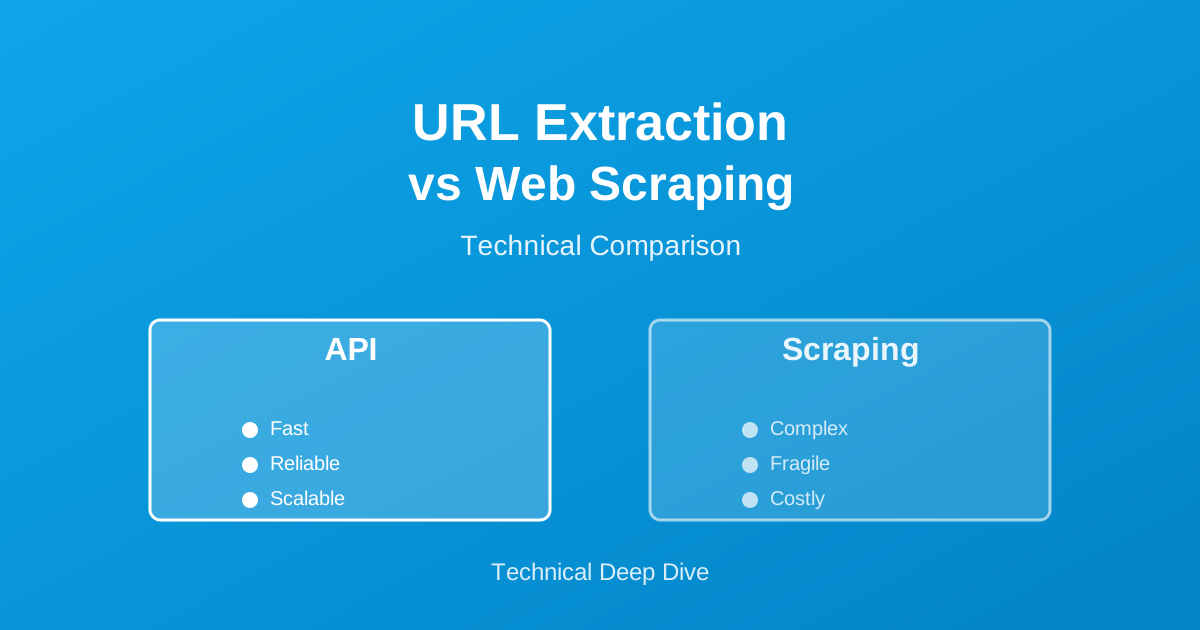
URL Extraction vs Traditional Web Scraping: The Technical Difference
I spent three years at Amazon working on search infrastructure. One question kept coming up from teams across the company: should we scrape websites directly or use an API that extracts URLs for us?
Here’s what I learned after implementing both approaches at scale.
What Most People Get Wrong
Most tutorials treat URL extraction and web scraping as the same thing. They’re not.
Traditional web scraping:
- You make HTTP requests to a website
- Parse HTML/CSS/JavaScript
- Extract data from the parsed content
- Handle errors, blocks, CAPTCHAs yourself
URL extraction via API:
- You make one API call
- Get back structured data immediately
- No parsing, no maintenance
- The API provider handles everything
The difference? One takes weeks to build and maintain. The other works in 10 minutes.
Real-World Example from Amazon
When I was building product monitoring tools at Amazon, we needed to track competitor pricing. Two teams took different approaches:
Team A: Traditional Scraping (The Hard Way)
They built a scraper from scratch:
import requests
from bs4 import BeautifulSoup

def scrape_competitor_price(url):
    headers = {'User-Agent': 'Mozilla/5.0...'}
    response = requests.get(url, headers=headers)
    soup = BeautifulSoup(response.text, 'html.parser')

    # This selector breaks every 2-3 weeks
    price = soup.select_one('.price-class')
    return price.text if price else None
Results:
- Development time: 2 weeks
- Maintenance: 5-10 hours per week
- Success rate: 60-70% (blocks, failures)
- Total cost: $8,000+ in engineering time (first month)
Team B: URL Extraction API (The Smart Way)
They used a SERP API to get competitor URLs, then a web scraping API for content:
// Get search results
const searchResults = await serpAPI.search({
  q: 'wireless headphones',
  engine: 'google'
});

// Extract competitor URLs
const competitorUrls = searchResults.organic_results
  .filter(r => r.domain !== 'amazon.com')
  .map(r => r.link);

// Get pricing data (if needed)
const priceData = await scrapingAPI.extract(competitorUrls[0]);
Results:
- Development time: 2 hours
- Maintenance: 0 hours per week
- Success rate: 99%+
- Total cost: $50 in API credits (first month)
The second team shipped their feature 13 days earlier.
The Technical Architecture Difference
Traditional Scraping Stack
Your App
   �?
HTTP Client (requests, axios)
   �?
Proxy Rotation Service ($)
   �?
CAPTCHA Solver ($)
   �?
HTML Parser
   �?
Custom Data Extraction Logic
   �?
Error Handling & Retry Logic
   �?
Rate Limiting & Queuing
   �?
Target Website
You maintain all of this.
URL Extraction API Stack
Your App
   �?
API Call
   �?
[Everything else handled by provider]
   �?
Structured JSON Response
They maintain everything.
When URL Extraction APIs Win
1. Getting Search Results
If you need URLs from Google or Bing search results:
// Traditional scraping: 200+ lines of code
// URL extraction API:
const results = await serppost.search({
  s: 'best running shoes',
  t: 'google'
});

const urls = results.organic.map(r => r.url);
Done in 5 lines.
2. Building SEO Tools
For rank tracking or keyword research:
# Check ranking position
results = serppost.search("keyword", engine="google")

for i, result in enumerate(results['organic'], 1):
    if 'yourdomain.com' in result['url']:
        print(f"Ranking position: {i}")
        break
No HTML parsing. No selector updates. No breaks.
3. Competitive Intelligence
Track what competitors rank for:
// Get top 10 competitors
const serp = await serppost.search({
  s: 'project management software',
  t: 'google'
});

const competitors = serp.organic
  .filter(r => r.domain !== 'yourdomain.com')
  .slice(0, 10);
When Traditional Scraping Makes Sense
Look, I’m not saying never scrape. Sometimes you need it:
-
Custom data not available via API
- Internal dashboards
- Login-required content
- Very niche data
-
One-time data extraction
- Research project
- < 100 URLs total
- No ongoing maintenance
-
Learning purposes
- Understanding how websites work
- Building your scraping skills
But for production systems tracking search results? API wins every time.
Cost Comparison: Real Numbers
Let’s say you need 10,000 search queries per month:
Traditional Scraping
Developer time (setup): $5,000
Proxy service: $200/month
CAPTCHA solving: $150/month
Server costs: $100/month
Maintenance (10 hrs/mo): $1,000/month

First year: $21,050
URL Extraction API
API credits (10K queries): $30/month
Developer time (setup): $100
No maintenance needed

First year: $460
Savings: $20,590
That’s not a typo.
The SearchCans Alternative
Some teams prefer SearchCans for their URL extraction needs. They offer similar functionality with a different pricing structure. Worth checking out if you’re comparing SERP API providers.
The key point: whether you use SERPpost, SearchCans, or another provider, the API approach beats traditional scraping for search result extraction.
Migration Strategy
Already have a scraper? Here’s how I’ve migrated several systems:
Week 1: Parallel Run
# Keep existing scraper running
legacy_results = your_scraper.scrape(query)

# Add API calls alongside
api_results = serppost.search(query)

# Compare results
compare_accuracy(legacy_results, api_results)
Week 2: Gradual Shift
# Route 50% of traffic to API
if random.random() < 0.5:
    return api_results
else:
    return legacy_results
Week 3: Full Migration
# 100% API
return api_results

# Delete scraper code
# Delete proxy subscriptions
# Delete CAPTCHA service
# Enjoy your free time
Common Mistakes
Mistake 1: “I’ll just scrape Google”
Google blocks scrapers aggressively. You’ll spend more time fighting blocks than building features.
Mistake 2: “APIs are expensive”
Do the math. Include your engineering time. APIs are usually 10-50x cheaper.
Mistake 3: “I need more control”
You don’t need to control HTTP headers and proxy rotation. You need reliable data. That’s what APIs provide.
Real Talk
After implementing both approaches multiple times, here’s my advice:
Use URL extraction APIs when:
- You need search engine results
- You’re building a product (not learning)
- You want to ship fast
- You value your time
Use traditional scraping when:
- APIs don’t exist for your data source
- You’re doing a one-time extraction
- You’re learning web technologies
- You really enjoy maintaining scrapers (nobody does)
Getting Started
If you’re convinced APIs are the way:
- Sign up for a SERP API (SERPpost, SearchCans, etc.)
- Make your first API call (takes 5 minutes)
- Delete your scraper code (feels amazing)
- Ship your feature (weeks earlier)
The companies that win are the ones that ship fast. URL extraction APIs let you do that.
About the author: David Park spent 3 years as a Search Infrastructure Engineer at Amazon, where he built and maintained systems processing millions of product URLs daily. He’s now helping startups make better technical decisions about data extraction.
Last updated: December 19, 2025